
DiRoots DiRootsOne v2.7.3 for Autodesk Revit 2027
One Bundle | Twelve Tools | Zero Wasted Time
About Product
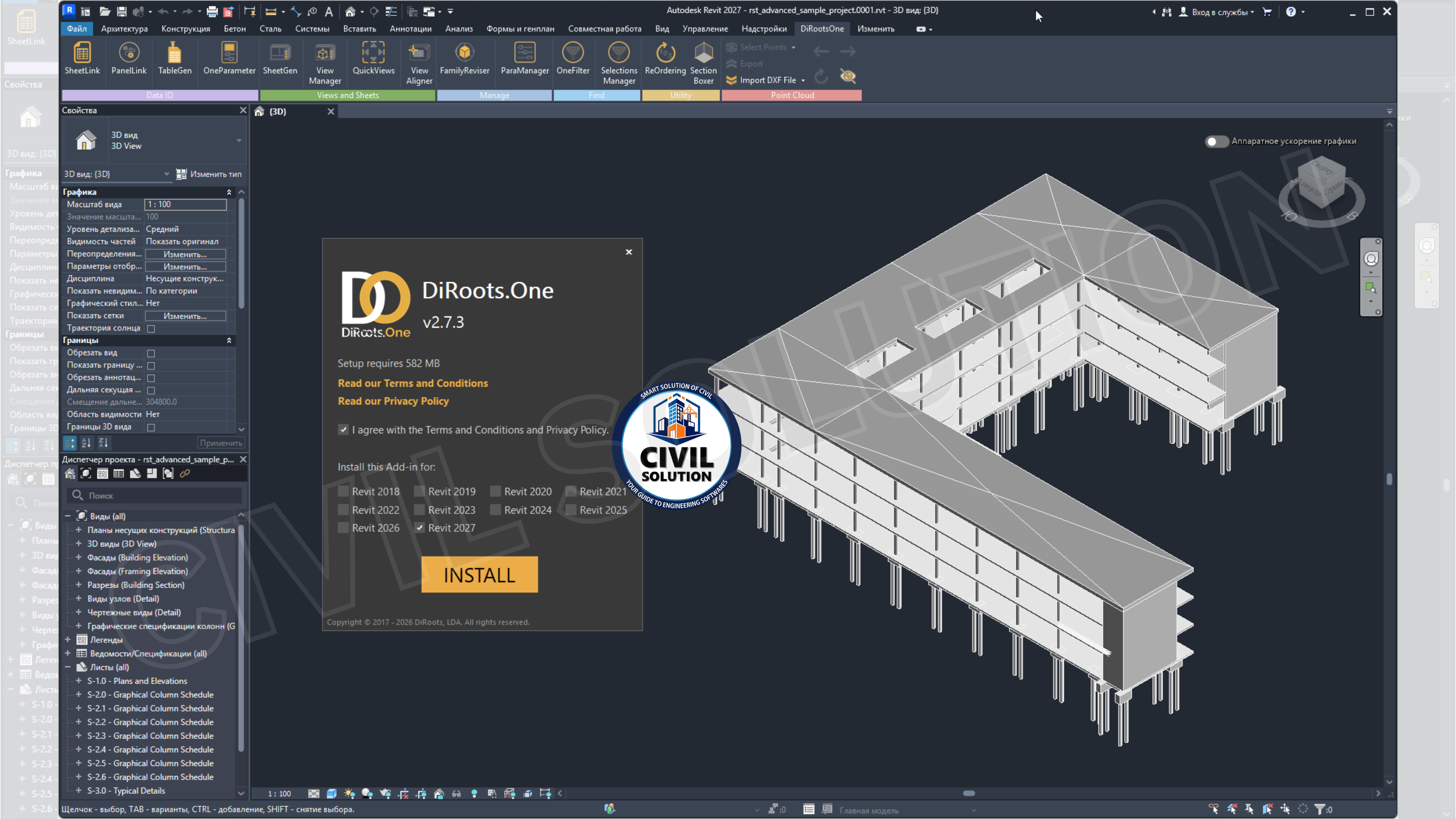
DiRoots DiRootsOne v2.7.3 is the world's most comprehensive all-in-one Autodesk Revit productivity plugin bundle developed by DiRoots, a pioneering AEC software company from Portugal and trusted by BIM managers, architects, engineers, and Revit specialists across the globe. DiRootsOne v2.7.3 covers every critical Revit workflow from bidirectional Revit-to-Excel data exchange and family management to smart element filtering, spreadsheet-to-Revit table import, automated sheet and view generation, parameter management, point cloud productivity, element renumbering, view alignment, and quick view creation bundling 12 specialized Revit productivity tools into a single, seamlessly integrated, modular plugin package, now fully compatible with Autodesk Revit 2018 through 2027, with freemium and premium annual licensing options for individuals and enterprise teams.
FEATURES
- TableGen – Spreadsheet-to-Revit Table Import (Premium) – Import Excel spreadsheets into Revit as Legend Views, Schedule Views, and Drafting Views with pixel-level fidelity — enabling non-Revit collaborators to contribute formatted data; now with multi-worksheet selection in one operation, Black & White color stripping for clean print output, and improved "Reload from" command for single or multiple file updates
- FamilyReviser – Family & Workset Batch Management – Batch rename Revit families with prefixes, suffixes, and custom rules; manage worksets by category or define custom workset assignment rules; run Family Health Checks with sortable status, export health reports to Excel, and rename Model Groups — bringing order to bloated, inconsistently named Revit content libraries
- OneFilter – Advanced Element Search, Filter & Colorization – Instantly find, select, and colorize Revit families and elements by category, parameter name, and value; locate elements within Areas, Masses, Rooms, Spaces, Zones, and Scope Boxes; apply double-click and drag-and-drop workflows for rapid parameter selection — providing visual quality control across large, complex Revit models
- ViewManager – Centralized View & View Template Management (Premium Free + Partial) – Manage, organize, and export all Revit views and view templates from a single table interface; export view data with built-in parameters as default columns; filter and control scope boxes and view templates — providing a structured overview of the complete drawing set from one panel
- ParaManager – Revit Parameter Creation & Batch Management – Create, modify, and delete shared and project parameters across projects and families from a single interface; export and import parameter definitions to/from Excel and Shared Parameter files; assign parameters to categories via drag-and-drop — ensuring consistent parameter standards across all Revit models and family libraries
- OneParameter – Instance Parameter Bulk Editing (Premium) – Bulk-edit and update instance parameter values across multiple selected elements simultaneously — reducing the time needed to standardize data across large Revit models, particularly useful for rooms, spaces, doors, and equipment with repeated parameter assignments
- ReOrdering – Element Renumbering with Rules-Based Logic – Renumber Revit instance parameters — including room numbers, door marks, and equipment tags — using configurable prefixes, suffixes, multipliers, and rules-based sequencing; now with saved Rules Configuration for consistent reuse across project phases and team members
- ViewAligner – Multi-View Alignment & Synchronization (Premium) – Align crop regions, view extents, and view properties across multiple Revit views simultaneously — saving significant manual effort when coordinating plan, section, and elevation views to maintain consistent sheet presentation and drawing coordination standards
Best For
BIM Managers & Revit Standards Coordinators
Architects & Interior Designers
Structural & MEP Engineers
Large AEC & EPC Firms
Scan-to-BIM & Renovation Specialists
Architecture & BIM Students & Educators
WHAT WILL YOU GET?
How to Access Product after Purchase!
Click on "Dashboard" situated on Top-Right corner, there you will see all of your purchased items.
Why Choose Us ⚡

Instant Download

One Time Payment

Lifetime Access
Share your feedback

 200K+ creators trust Graphy